


Disclosure: When you purchase through links on our site, we may earn an affiliate commission.
If you have ever had that nagging suspicion that your calls might be getting forwarded without your knowledge, then this piece is for you. There’s an easy way to Check Call Forwarding Status — and it only takes a few seconds!
By dialing *#61# on your phone, you can instantly see if your calls are being redirected to another number. Think of it as a quick and easy detective tool that helps you stay in control of your calls. Whether you’re concerned about security, troubleshooting missed calls, or just curious, knowing how to Check Call Forwarding Status can give you peace of mind.
Not only is this trick useful for personal security, but it also comes in handy if you’ve recently switched carriers, are experiencing call delays, or want to ensure important calls aren’t going to voicemail too soon. So, the next time you’re wondering where your calls are going, take a few seconds to Check Call Forwarding Status — because staying informed is always a smart move!
What Is the *#61# Code?
The *#61# code is a GSM feature code used to check Call Forwarding status on your mobile phone. Specifically, it shows if your calls are being forwarded to another number when you’re busy or unreachable.
How to Use the *#61# Code to Check Call Forwarding Status

Using this code is as easy as making a call:
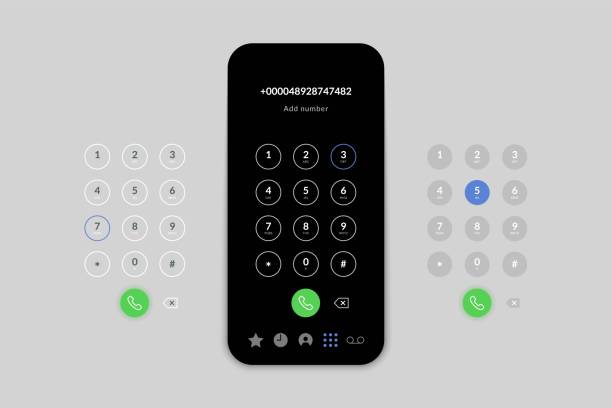
- Open Your Dialer App:
Launch the app where you dial numbers. - Enter the Code:
Type *#61# exactly as shown. - Press Call:
Hit the call button, and your phone will display the status of call forwarding. - Interpret the Response:
You’ll receive a message indicating whether call forwarding is enabled or disabled for busy or unreachable conditions.
Tips and Tricks
- Disable Call Forwarding:
If you find that call forwarding is enabled unexpectedly, dial #61# to disable it. - Check with Your Carrier:
Some carriers might have specific settings or restrictions for call forwarding, so it’s always a good idea to check with them if you encounter issues.
Conclusion
In conclusion, using the Check Call Forwarding Status code (*#61#) is a simple yet powerful way to manage your phone’s call settings. Whether you’re making sure your calls are reaching the right place, troubleshooting forwarding issues, or just curious about hidden features, this code is a must-have in your tech toolkit.
With just a quick dial, you can instantly Check Call Forwarding Status and stay in control of your incoming calls. No more wondering if your missed calls are disappearing into the void—this feature keeps you informed and in charge.So why wait? Check Call Forwarding Status today and enjoy the peace of mind that comes with knowing exactly where your calls are going.